Running a full-scale PC application like Minecraft: Java Edition on a mobile phone processor is an incredible feat, but it can also be a massive strain on your device. If you are experiencing stuttering, low frames per second (FPS), or frequent game freezes, you aren’t alone.
Because Java Edition was originally optimized for desktop computers with dedicated cooling systems, running it on mobile requires a few smart tweaks to both the launcher settings and the in-game options.
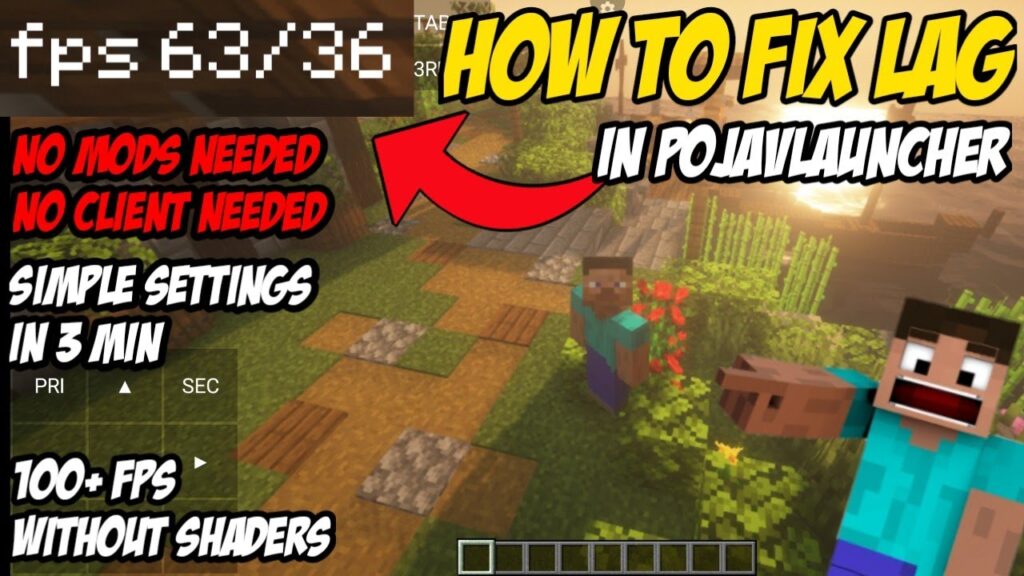
This guide will walk you through the ultimate optimization settings to completely eliminate lag and get smooth, high-FPS gameplay in PojavLauncher.
Phase 1: Ultimate Launcher Settings (Before Booting)
Before you even press the “PLAY” button, there are critical performance adjustments you need to make inside the main PojavLauncher dashboard settings menu. Tap the Settings (gear icon) on the main layout to begin.
1. Reduce the Resolution Scale
By default, the launcher tries to render the game at your device’s native screen resolution. High-end smartphone displays (like Retina or AMOLED screens) use massive pixel counts that will absolutely crush your FPS.
- Optimal Setting: Lower the Resolution Scale slider to 70%–80%.
- Why it works: This significantly reduces the rendering workload on your GPU while keeping text and items completely readable on a smaller screen.
2. Switch Your Video Renderer
PojavLauncher includes multiple translation pipelines to handle Minecraft’s graphics framework. Choosing the right one changes everything.
- For Modern Devices (Android 10+ / iOS): Select the Vulkan (ANKV) or Holy GL4ES renderer. Vulkan handles modern mobile graphics cards much more efficiently than older architectures.
- For Older Devices: Stick to standard GL4ES. Avoid the experimental frameworks unless a specific mod demands them.
3. Java Runtime Optimization
Ensure you are using the correct Java version for your target Minecraft version.
- Use Java 8 for older classics like 1.8.9 or 1.12.2.
- Use Java 17 or 21 for modern versions like 1.20+ to take advantage of deeper, background code optimizations.
Phase 2: Crucial In-Game Video Settings
Once the game boots up into the main menu, navigate to Options ➔ Video Settings and apply these changes immediately:
- Render Distance: Set this between 4 Chunks and 6 Chunks. Going higher forces the mobile processor to load hundreds of unnecessary blocks into memory simultaneously.
- Simulation Distance: Set to 4 Chunks. This controls how far away mobs and blocks actively process actions.
- Graphics: Change from “Fancy” or “Fabulous” to Fast.
- Smooth Lighting: Turn this completely OFF.
- Max Framerate: Set to Unlimited (or lock it to your screen’s natural refresh rate, like 60 FPS, to prevent sudden thermal throttling).
- Clouds / Particles / Entity Shadows: Turn these OFF or switch them to Minimal.
Phase 3: The Secret Weapon — Optimization Mods
If you are running completely vanilla (unmodded) Minecraft on your phone, you are missing out on major performance gains. The absolute best way to fix lag in PojavLauncher is to install performance-driven mod engines.
Instead of running heavy setups, install the Fabric Mod Loader on your profile and add these lightweight, open-source optimization mods:
The Essential Performance Trio:
- Sodium: Replaces Minecraft’s entire rendering engine with a modern, hyper-optimized pipeline. It can single-handedly double or triple your FPS on mobile.
- Lithium: Implements massive optimization passes to game physics, chunk loading, and mob AI logic without changing how the game feels.
- FerriteCore: Dramatically reduces the amount of system RAM the game uses, preventing sudden app crashes on phones with lower memory caps.
Phase 4: Device-Level Tweaks to Stop Thermal Throttling
When mobile components get hot, the phone’s operating system automatically slows them down to cool them off. This is called thermal throttling, and it leads to sudden, massive lag spikes after 10–15 minutes of smooth gameplay.
- Remove Heavy Phone Cases: Bulky plastic or rubber cases trap heat directly against the back of your phone. Take the case off while playing.
- Disable Background Apps: Close out of heavy background apps (like Chrome, Discord, or YouTube) before launching PojavLauncher.
- Turn Off Battery Saver Mode: “Low Power” or “Battery Saver” options deliberately throttle your processor’s speed. Make sure your device is set to normal or “Performance Mode.”
Summary of the Best Performance Profile
| Setting | Target Value for Smooth Play |
| Resolution Scaling | 75% |
| Video Renderer | Vulkan or Holy GL4ES |
| Render Distance | 5 Chunks |
| Graphics Quality | Fast |
| Recommended Mods | Sodium + Lithium (Fabric) |
Still experiencing stuttering or seeing low FPS counts on your current device layout? Drop your phone model and your current memory configurations in our contact form below, and we’ll help you tune your profile!