One of the most frustrating experiences in PojavLauncher is having your game suddenly freeze, close out, and dump you back onto your mobile screen right in the middle of a gaming session. If your app frequently closes when loading into a world, downloading assets, or entering crowded multiplayer servers, you are likely running into a Memory Allocation Crash.
Because Minecraft: Java Edition runs inside a virtual Java Machine layer on your mobile device, it requires a strict, pre-allocated pool of system RAM to process block states, item textures, and entity positions. If it runs out of that pool, the game instantly crashes.
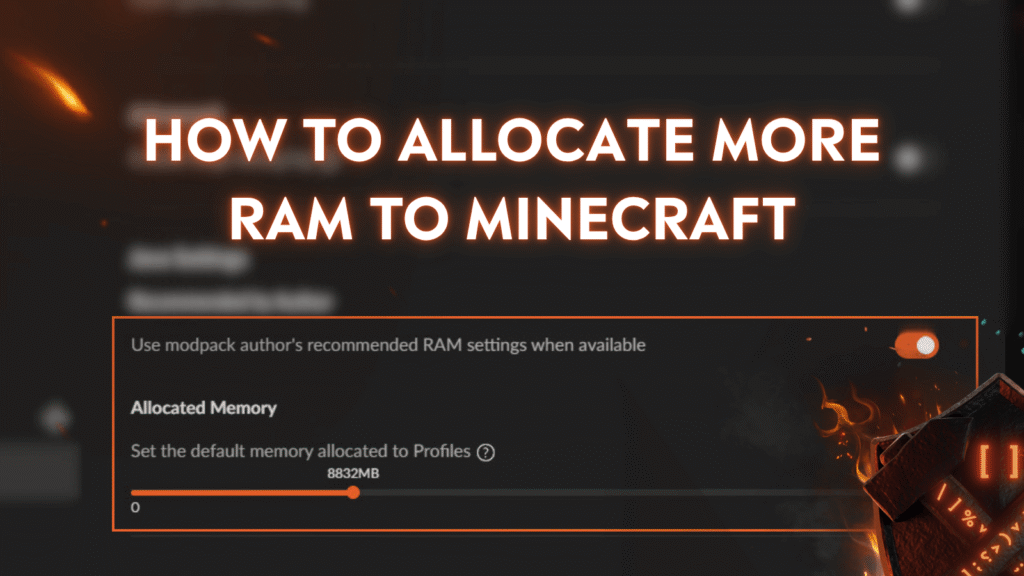
This guide will explain exactly how memory allocation works in PojavLauncher and show you how to find the perfect RAM “sweet spot” to stop crashes forever.
The Golden Rule of Mobile RAM Allocation
When configuring your settings, it is easy to assume that allocating all of your phone’s memory to the launcher will give you the best performance. However, doing this will actually guarantee a crash.
Your phone’s native operating system (Android or iOS) requires its own background pool of RAM to keep your device alive, handle background services, and run touch processes. If PojavLauncher requests 100% of your memory pool, your mobile OS will step in, classify the launcher as a system threat, and instantly force-close the app to protect itself.
💡 The Golden Rule: Never allocate more than 50% of your total device RAM to PojavLauncher.
Step-by-Step: How to Change Allocated Memory
Modifying your memory limitations is simple, but must be done inside the launcher dashboard before launching a profile.
- Open PojavLauncher and stay on the main landing screen.
- Tap the Settings (gear icon) button or open the side menu layout.
- Locate and tap on the Java Tweaks section.
- Look for the setting labeled Allocated Memory (or Memory Allocation Slider).
- Slide the bar left or right to change the numerical Megabyte (
MB) limit. - Tap back or close the settings frame to auto-save your adjustments.
Finding Your Perfect RAM Target Value
To find your exact target number, look up your device’s total RAM specs online or check your phone’s system summary panel. Then, apply these optimized target numbers:
📱 For Devices with 4GB Total RAM
- Your Target Setting: Set the slider to 1200MB – 1500MB.
- What you can play: Vanilla Minecraft versions from 1.8.9 up to 1.16.5 with basic performance mods (like OptiFine or Sodium).
🚀 For Devices with 6GB Total RAM
- Your Target Setting: Set the slider to 2000MB – 2500MB.
- What you can play: Modern vanilla worlds up to 1.20+, or lightweight custom modpacks (under 30 active mods).
⚡ For High-End Devices with 8GB to 12GB+ RAM
- Your Target Setting: Set the slider to 3500MB – 4000MB.
- What you can play: Heavy modern game versions, complex shader packages, and large automated mod packs (like SkyFactory or Pixelmon clusters).
Still Crashing? Try These Quick Fixes
If you have optimized your allocation slider and the application still exits unexpectedly, the crash could be caused by memory leaks from your game configurations:
- Lower Your Render Distance: Even if you allocate 4000MB of RAM, setting your video render distance to 16 chunks will eat through that memory pool in seconds. Keep your in-game render distance locked between 5 and 7 chunks.
- Install FerriteCore: This is a lightweight optimization mod available for both Forge and Fabric. It actively alters Minecraft’s code properties to reduce text-rendering data sizes, instantly saving you hundreds of megabytes of RAM.
- Avoid Heavy Textures: High-definition texture packs (like 64×64 or 128×128 pixel maps) require massive amounts of memory allocation to render on mobile GPUs. Stick to performance-friendly 16×16 standard textures for maximum stability.
Summary Configuration Reference
| Your Device Total RAM | Safe Allocated Allocation Slider | Optimal Game Focus |
| 3 GB | 1000 MB | Classic Vanilla (1.8.9 – 1.12.2) |
| 4 GB | 1400 MB | Stable Vanilla (1.16.5) |
| 6 GB | 2200 MB | Modern Versions (1.20+) |
| 8 GB+ | 3500 MB – 4000 MB | Mods & Basic Shaders |
Are you still getting an out-of-memory error code or a specific launch log freeze? Let us know your mobile device model and your current configuration numbers in the comments section below, and we’ll help you tune your profile!